
UVOtv: Watch Live TV & Movies
UVOtv Entertainment LLCEntertainment
3.650.00 Reviews
- Version
- 1.28.20
- Installs
- 100.00K
- Age Rating
- Teen
Screenshots
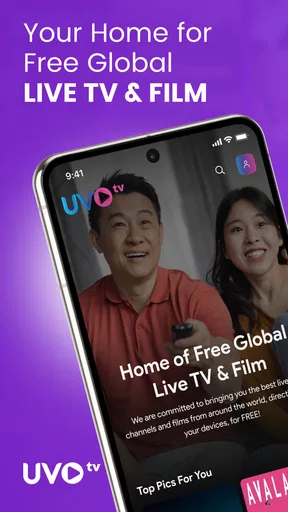
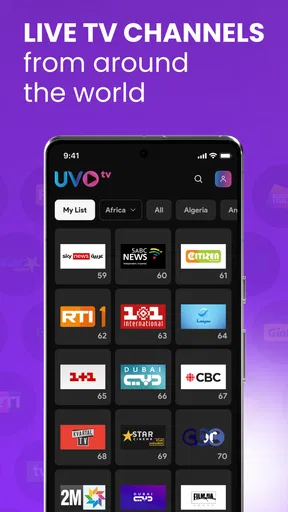
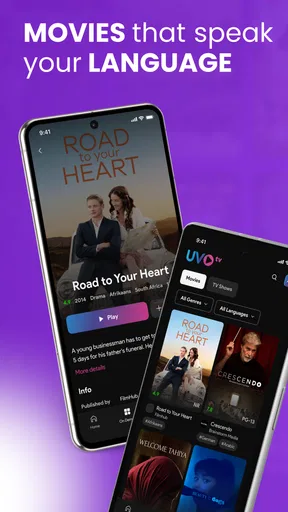
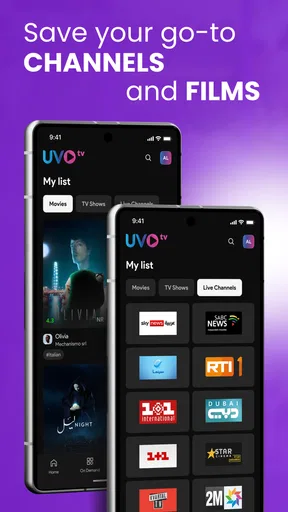
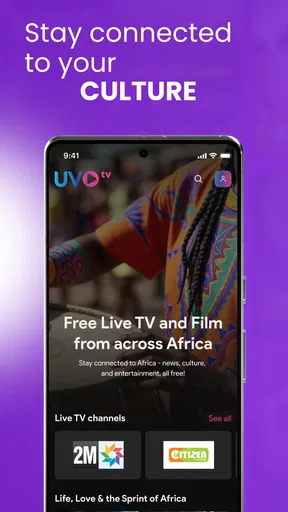
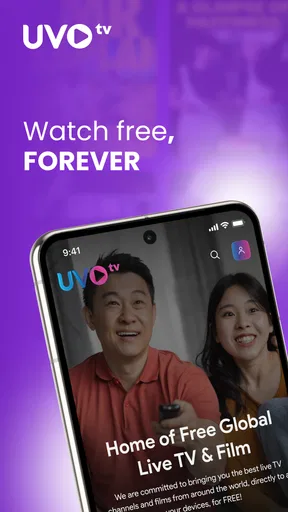
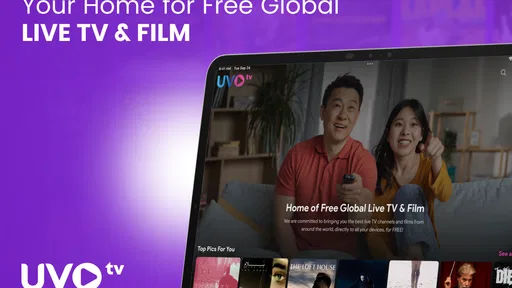
Our Review of UVOtv: Watch Live TV & Movies
 Analysis by Appyee
When I first opened UVOtv: Watch Live TV & Movies, I approached it as a simple way to find television from different regions rather than as a replacement for every streaming service I use. That distinction matters. This free entertainment app is aimed at people who want live Arab, Indian, African, Latino, and Nepali television in one place, without adding a subscription to the monthly budget. If that mix matches your interests, it can be a useful starting point; if you mainly want a carefully organized library of on-demand international films, your usual streaming service may feel more predictable.
The app is made by UVOtv Entertainment LLC and is available for Android devices running version 7.0 or later. It carries a Teen content rating, so I would not treat it as a child-focused television app. The current release is version 1.28.20, and its presence on Android is reasonably established, with over 100 thousand installs. At the time of writing, its average score is 3.6 from around 168 ratings, alongside roughly 50 written reviews. That combination tells me to keep expectations practical: there is a real audience, but the experience may not feel equally polished for everyone.
What to expect before you start watching
The first thing to understand is the difference between live TV access and a conventional streaming catalog. With a normal on-demand service, I usually search for a title, read a description, and start it whenever I want. UVOtv is better approached as a digital television guide with international choices. I browse what is available, choose something that interests me, and accept that the viewing experience is shaped by the channel or program rather than entirely by my personal schedule.
That makes the app particularly appealing for households with cultural ties to more than one region. Someone who misses familiar language programming, a viewer following international entertainment, or a family looking for television from a specific community may find the broad regional focus more useful than a general streaming app filled mostly with English-language content. The value is not simply the number of screens in one application; it is the chance to move between Arab, Indian, African, Latino, and Nepali programming without installing a separate service for each interest.
I would also set expectations around the word “movies.” The app’s identity is strongly connected to live television, so I would not install it assuming that every film I want will be waiting in a large, searchable library. It makes more sense for casual browsing, channel-style viewing, and discovering something to watch at the moment. If you already know the exact film or series you want, a dedicated on-demand platform is often the more efficient choice.
The no-subscription approach is one of its clearest advantages. I can try it without committing to another recurring payment, which lowers the risk for a first-time user. That does not automatically make every channel or program equally compelling, though. Free access can be valuable precisely because it lets you explore first. I recommend spending a little time checking whether the available regional programming suits your household before deciding whether it deserves a regular place on your home screen.
Install it with the right expectations
On an Android phone or tablet, the process is familiar: install the app, open it, and begin exploring. Because the minimum operating system is Android 7.0, older devices may still be eligible, but eligibility alone does not guarantee a smooth viewing experience. Live video depends on more than the app version. Device performance, network stability, and the way your home connection handles video will all affect how comfortable the session feels.
I suggest starting on the device you are most likely to use regularly instead of immediately trying to make it the center of a television setup. A phone is useful for a quick test because it lets you see whether the interface makes sense and whether the available channels match your interests. Once you know that, you can decide whether a larger screen would make the experience more worthwhile. This small step prevents the common mistake of spending time arranging an app that does not offer the programming you actually want.
During the first launch, I would look for the main browsing area before trying to personalize everything. The best first question is not “How do I configure every option?” but “Can I find a channel or program I genuinely want to watch?” That approach gives you a meaningful answer quickly. If the first useful viewing session is easy, the app has earned more investigation; if browsing already feels unclear, you will know that the service may require more patience than you want to give it.
Since this is an entertainment app with a Teen rating, parents should make their own judgment before handing a device to a younger child. A broad international television selection can include material with different themes and tones, and the age label is a reminder that this is not designed as a preschool or family-only environment. I would use it with children only when an adult has checked what is being watched and is comfortable with the particular program.
Your first successful action should be simple
For a first meaningful test, I recommend choosing one regional category that already interests you instead of jumping randomly across every available option. If you speak Hindi, for example, begin with Indian programming. If your family is more interested in Latino or Nepali television, start there. This is a better test than judging the entire service from the first item that happens to appear, because it connects the app’s purpose to your actual viewing habits.
Once you find a promising option, let it play long enough to decide whether the experience works for you. I pay attention to three practical things: whether the program begins without confusing steps, whether the picture remains comfortable to watch, and whether the content itself is relevant to my reason for installing the app. A successful first session does not need to be dramatic. It can simply be finding a live program in a language or region I wanted and watching it without having to search through several unrelated services.
This is also where I would test the app at the time of day when I expect to use it. A quick daytime check can be useful, but it may not tell me how well the service fits an evening routine. Live viewing is more satisfying when the available schedule lines up with the moments I actually have free. If your household watches international television after work or during a shared meal, test it during that routine rather than treating a random five-minute visit as the final verdict.
One useful habit is to remember the path that led to the first worthwhile channel. International content apps can feel overwhelming when the choices are unfamiliar, especially if several languages appear together. I would mentally note the regional route and the kind of program that worked. On the next visit, that memory can turn UVOtv from a general browsing experiment into a quicker destination for a particular audience at home.
Where the experience can be confusing
The broad regional promise is also the source of the app’s main challenge. Arab, Indian, African, Latino, and Nepali programming is not one single audience with one single preference. A viewer may find a useful selection in one area and much less reason to browse another. I would avoid judging the app by the breadth of its labels alone. What matters is whether the specific language, culture, and type of television you want are easy to reach and worth returning to.
Another possible point of confusion is the relationship between live channels and movie watching. A person arriving with an on-demand mindset may expect a search box, a complete title page, and the ability to resume a film whenever convenient. A live-TV service works differently. The program may be available as part of a channel experience rather than as a personal library item. If you want complete control over start time, pause behavior, and repeat viewing, a conventional on-demand platform may be a better fit.
I also would not assume that “free” means the same thing as “frictionless.” The absence of a subscription makes trying the app easier, but the quality of a live viewing session still depends on the connection and the device. If a stream feels unstable, I would first check whether other video services are behaving normally on the same network. That simple comparison helps distinguish an app-specific problem from a broader connection issue before I decide that the service is unusable.
The rating of 3.6 suggests a mixed public reaction rather than universal approval. I read that as a reason to evaluate the app according to my own use case. A viewer who only needs occasional regional television may be satisfied even if the interface has rough edges. Someone expecting the refinement of a major paid platform may notice those edges much more quickly. The app’s value is therefore tied closely to what it replaces: it looks more attractive as an extra free source of international TV than as a complete substitute for a premium streaming ecosystem.
Practical ways to get more from it
My first tip is to use UVOtv as a discovery tool, not only as a destination for a specific title. When I open it with no fixed plan, the regional range can help me find programming I would not encounter in a standard local television lineup. That makes it useful during relaxed evenings, when the goal is to watch something connected to a language or culture rather than to complete a particular series.
My second tip is to match the app to a shared household routine. In a multilingual home, one person may want Indian programming while another prefers Latino or African content. Rather than treating that as a weakness, I would use the app as a quick way to compare options before choosing one program together. The trade-off is that this works best when everyone is comfortable browsing; it is less useful if the household needs a tightly curated children’s schedule or a single familiar catalog.
A third insight is that the free model makes UVOtv suitable for occasional viewers who would not justify another paid service. If I only want international television during certain weeks, cultural celebrations, visits from relatives, or periods when I am exploring a language, avoiding a subscription is meaningful. The downside is that occasional users may forget where they found a preferred program, so I would make a note of the channel or browsing path that worked rather than expecting the app to replace a personal viewing plan.
There is also a useful device strategy. I would begin on Android 7.0 or newer hardware that I already know handles video comfortably, then move to a larger display only after confirming that the content selection is worthwhile. This two-stage approach saves time and gives a clearer answer than assuming a bigger screen will solve every problem. A large display improves comfort, but it cannot make an unsuitable regional lineup more relevant.
Who should use it, and who should skip it
I can recommend UVOtv to viewers who want a free way to explore international live television, especially when Arab, Indian, African, Latino, or Nepali programming is central to the decision. It is also a sensible trial for households that want more cultural variety without immediately adding another monthly bill. The app’s strongest case is not replacing every service in the home; it is expanding the range of television available for casual or shared viewing.
I would be more cautious if your priority is a polished, fully searchable on-demand library. People who plan their evenings around exact titles, expect consistent resume controls, or want a carefully filtered family catalog may prefer a specialized alternative. The same applies to viewers who only watch one narrow genre and do not care about regional variety. In those situations, the app’s wider focus may feel like extra browsing rather than extra value.
It may also be the wrong choice for someone who needs guaranteed viewing at a particular time. Live television naturally depends on what is being offered when you open it, while on-demand services are built around personal scheduling. If missing a program is unacceptable, I would choose a service designed around saved or repeatable access instead of relying on a live-TV browsing model.
My next step after the first session
After finding one worthwhile program, I would give the app a short trial across several viewing occasions rather than making a decision from a single launch. I would check whether the same regional categories remain useful, whether browsing becomes quicker with familiarity, and whether the free access fits the way I actually watch television. This is especially important for an app with a mixed average score: the right question is not whether everyone loves it, but whether it solves my particular television problem well enough.
For me, the most convincing reason to keep UVOtv installed is the combination of international focus and no subscription requirement. It creates room for experimentation, which is valuable when I want television outside the usual local or mainstream choices. The limitations are equally clear: the experience may not satisfy viewers who want the control and polish of a major on-demand platform, and the broad selection still needs to match a real language or cultural interest.
My final advice is to start narrowly, find one channel or program that matters to you, and then decide whether the wider catalog deserves regular attention. Do not install it expecting a universal replacement for paid streaming. Install it because you want accessible international live television and are willing to browse a little. That is where the app feels most useful: as a low-risk doorway to regional programming, not as an all-purpose entertainment system.
With that expectation, UVOtv: Watch Live TV & Movies is easy to try and potentially valuable for the right household. Its free price removes the biggest barrier to testing it, its Teen rating calls for sensible supervision, and its regional emphasis gives it a clearer identity than a generic video app. I would keep it in consideration for international live viewing, while choosing a different service when precise on-demand control is the main requirement.
Verdict
Strengths of UVOtv: Watch Live TV & Movies
- Live TV channels and on-demand movies in one app.
- Simple interface makes browsing content quick and convenient.
- Supports watching news, entertainment, and sports in one place.
- Useful option for cord-cutters seeking a streaming TV alternative.
- Content can be accessed across compatible mobile devices.
Limitations of UVOtv: Watch Live TV & Movies
- Channel and movie availability may vary by location.
- Some content may require a paid subscription or additional package.
- Streaming quality depends heavily on your internet connection.
- The app may use considerable mobile data during live streaming.
- Not every channel or title may support offline viewing or downloads.
Similar Picks in This Category
View All
Google Play Games
Google LLC3.9

Netflix
Netflix, Inc.4.8

YouTube Kids
Google LLC4.2

Disney+
Disney4.4

Prime Video
Amazon Mobile LLC4.7

Steam
Valve Corporation3.2
Frequently Asked Questions
What is UVOtv: Watch Live TV & Movies?
UVOtv is a streaming application designed to let users watch live television channels, movies, and other video content from a mobile device. Its catalog and available channels may vary by location, licensing agreements, and account type. Before downloading, check whether the service officially supports your country and whether the content you want to watch is included in the current lineup.
Is UVOtv free to use, or does it require a subscription?
UVOtv may offer a combination of free content, limited access, promotional viewing, or subscription-based programming, depending on the market and the specific content selected. Some features can also require registration or an in-app purchase. We recommend reviewing the pricing, trial terms, renewal conditions, and cancellation policy shown in the app store before starting a subscription.
What kind of content can I watch on UVOtv?
The app focuses on live TV and on-demand entertainment, which can include movies, television programs, news, sports, or specialized channels depending on availability. The exact selection is not necessarily the same for every user because broadcasting rights differ by region. Check the in-app guide and content descriptions to confirm that your preferred channels and genres are offered.
Does UVOtv work on Android and iPhone devices?
UVOtv is intended for mobile viewing, but device compatibility can depend on the operating system version, hardware, and the current app release. Before installing, compare your phone or tablet with the requirements listed on Google Play or the Apple App Store. Keeping your operating system and the application updated can also help reduce playback, login, and compatibility problems.
Do I need an internet connection to watch UVOtv?
Yes, UVOtv requires an internet connection for live television and streaming movies. Wi-Fi is generally the better option for longer viewing sessions because high-quality video can consume significant mobile data. A weak or unstable connection may cause buffering, reduced picture quality, or interruptions. If the app supports offline viewing, availability may be limited to selected content and plans.
